How it works
Where every status on Appys comes from, how often it’s checked, and what it can and can’t tell you.
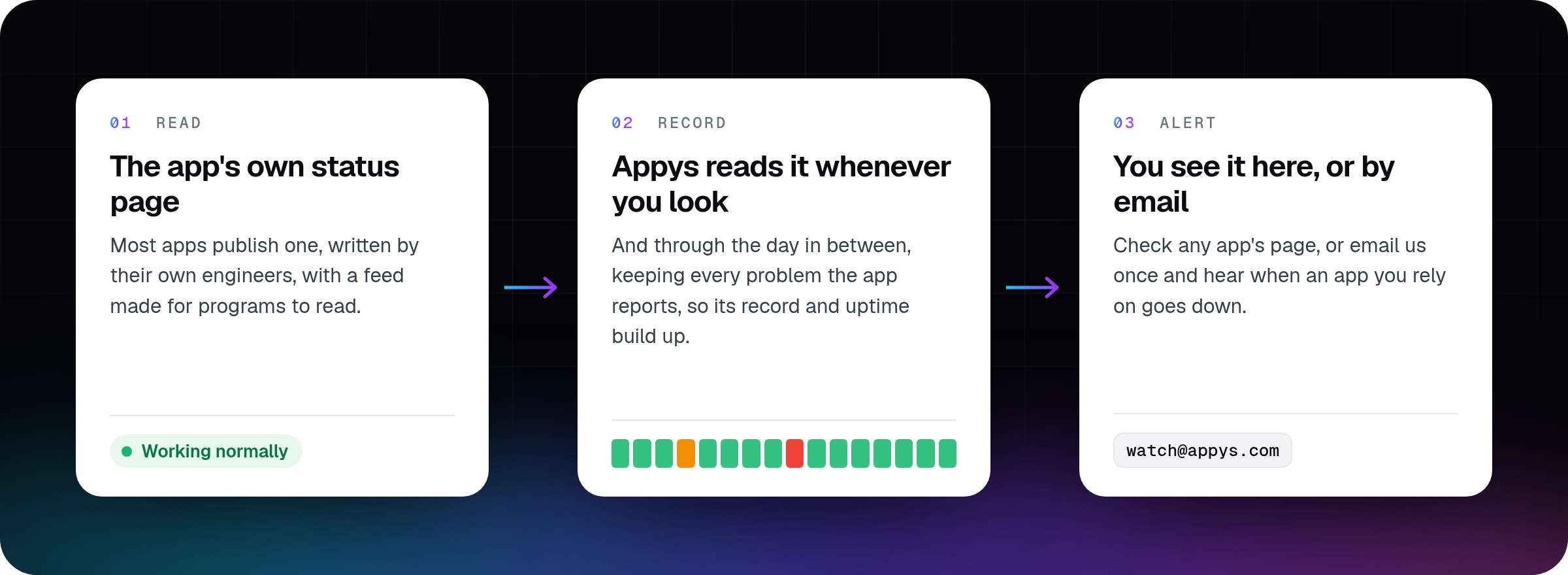
Every app on Appys publishes an official status page, run by the company itself, with a feed made for other programs to read. Appys reads that feed. We don’t test the apps ourselves, and we never guess: if a status page says everything is working, so do we. A few apps publish no status page we can read; their pages say so and link to where the company posts its updates instead.
Whenever you open an app’s page, we read its status page again if our last reading is more than 2 minutes old, so what you see is current. In between, apps people get email alerts for are read every 2 minutes, apps with a problem every 5 minutes until it’s fixed, and every other app at least every 30 minutes. Every 6 hours we also read each app’s recent history, which records every problem the company wrote up, including short ones that started and finished between two checks. If we can’t read a status page for 45 minutes, the app’s page says we can’t confirm its status rather than showing an old answer.
Working normally The app says everything is working.
Some problems Some features are slow or failing, or part of the service is down.
Major outage The company marks the whole service down, or gives the problem its most serious rating.
Maintenance under way The company is doing planned work right now. The app usually still works, but the parts being worked on may be briefly unavailable. We show which parts, and when the work is due to finish.
Not every post on a status page means something is broken. We go by what the company itself says. A post counts as a problem when the company marks part of its service as degraded or down, rates it a major or critical problem without saying which parts are affected, or its title says something is wrong, such as errors, delays or an outage. If the company only marks the parts it names as under maintenance, or the title says maintenance, it’s shown as work under way. If nothing is marked broken and the post is an advisory, such as a security notice about a vulnerability, it’s shown as a notice, even if the company rated it critical. Work and notices are listed on the app’s page but don’t change its status or count in its record. Anything unclear stays a problem.
Each app page shows the last 90 days as a bar, one block per day, with the problems it reported, how long they lasted and which parts of the service they hit. Grey days are before the record starts. Overlapping problems are counted once.
Once a day we also check each app’s public records: whether fake emails in its name are blocked, whether its website certificate is valid, whether it publishes a security contact, and whether Have I Been Pwned lists any data breaches for it.
On every app’s page you can check whether it’s down for everyone or just for you. Your own device tries the app’s website first, then our server tries it from outside your network, and we show both results next to what the app’s status page says, with what they mean together. Our server’s check runs only when someone asks, at most once a minute for each app. We keep an anonymous record of each check, never your IP address, as the privacy policy explains.
Status pages are written by the companies themselves. They can be a few minutes behind, and some small problems are never posted. If an app isn’t working for you but its page says it is, the problem may be local to you, or not reported yet.